
What to Do with Old Family Photos: A Complete Practical Guide
Inherited a box of old family photos? Here's what actually matters, what to restore, and how to make your archive worth keeping.
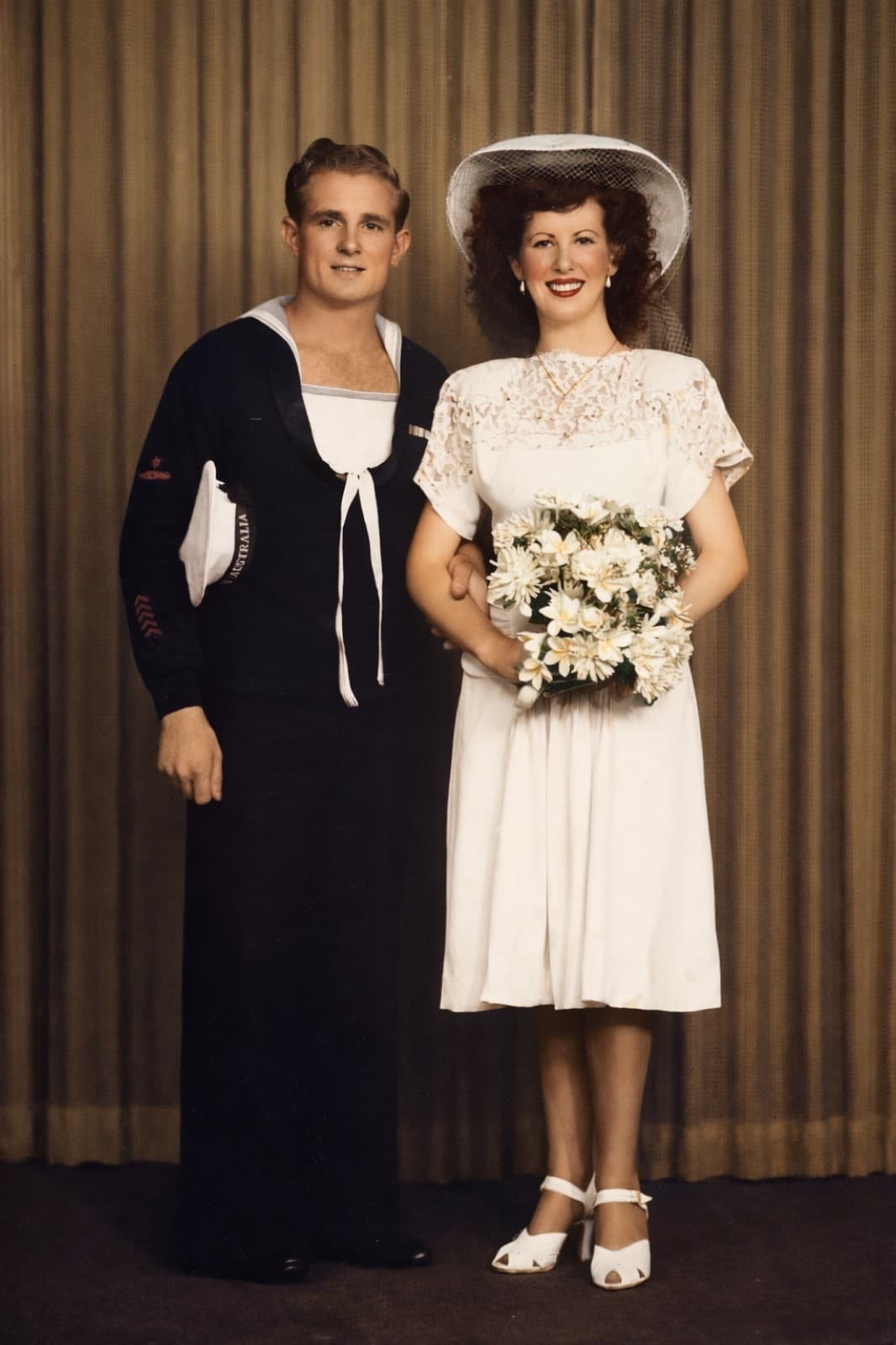
The Box Nobody Opens
Almost every family has one. A box of old photos in an attic, a closet, a drawer at a deceased parent's house. You know it exists, you know it matters, you never have time to actually do anything with it.
This guide is for when that moment finally arrives — when you inherit the box, when you clean out a house after someone passes, when you realize the photos won't preserve themselves. It's written for the person who has a hundred or a thousand old photos and no idea where to start.
Why Old Family Photos Actually Matter
Old family photos are the only remaining visual record of people who no longer exist. A great-grandmother's face, the house where grandparents met, the uncle nobody talks about anymore. When physical prints fade or get lost, that visual record dies with them.
Unlike heirloom jewelry or furniture, photos can't be evaluated with a number. Their value is entirely in what they trigger — memories, stories, family identity. Which is also why they're emotionally overwhelming to sort through. You cry when you find a photo of a grandparent you barely knew. You're gutted when you realize a photo is the last one of someone.
This is why the job gets postponed. But waiting makes it worse. Photos keep fading. People who can identify who's in them keep dying. Every year of delay loses information that can't come back.
The First Realistic Step
Forget perfection. You're not going to scan a thousand photos this weekend. You're not going to colorize every B&W photo. You're not going to build a museum-grade archive.
What you can do, realistically, in the first week:
- Spend 2 hours sorting the box into three piles: important (keep, digitize), unclear (keep, decide later), discard (duplicates, blurry, damaged beyond recognition)
- Label the back of every important photo with a pencil — names, approximate dates, location
- Store the important pile in an archival-quality acid-free box or sleeve
- Photograph (with your iPhone) the top 20-30 photos to have immediate digital backups
That's it. Week one. Everything else comes after.
The Digitization Question
Should you digitize everything or just some photos?
Digitize everything important. Physical prints will continue to fade regardless of how you store them. Digital copies, with backups, last indefinitely. The iPhone digitizing method (see our iPhone scanning guide) is fast enough that digitizing a hundred photos is a weekend project, not a year-long commitment.
Don't digitize duplicates or damaged beyond recognition. Three copies of the same first-communion photo don't need three scans. A photo where the faces are completely destroyed is probably not worth the effort.
Skip random landscapes or vacation shots of places unless they have specific significance. You don't need to digitize every random photo of someone's backyard in 1978.
What to Restore (And What Not To)
With AI tools like Restory, you can restore old photos cheaply and quickly. But that doesn't mean you should restore every photo. Here's a practical decision framework:
Always restore
- Photos of deceased relatives (especially their last photos)
- Wedding photos, first-communion photos, graduation photos (life milestones)
- Only-known photos of specific people or places
- Photos meant for gifts or memorial use
Usually restore
- Heavily damaged photos where emotional content is important
- Black-and-white photos that would look dramatic in color
- Photos with minor fading or scratches that matter to you
Don't restore
- Duplicates
- Photos where damage is historically meaningful (antique daguerreotypes, tintypes)
- Photos so damaged that AI restoration would invent rather than recover
- Random unattributed photos
The Identification Problem
One of the hardest parts of an old family archive is identifying who's in each photo. Someone knew. That someone may not be alive.
Practical tips:
- Ask the oldest living relatives NOW, before it's too late. Record their explanations on your phone — video or audio.
- Use visual era markers — hairstyles, clothing, cars, architecture. Our guide to dating old photos covers this in detail (coming soon).
- Compare unknown photos against identified ones — family resemblance often breaks identification wide open.
- Check the back for dates, studio stamps, or faded handwriting — even unreadable marks can indicate era.
Don't let "I don't know who this is" stop you from preserving a photo. Save it anyway. Identification can come later or may never come, but the photo can't come back once destroyed.
What to Do After Restoration
A restored photo that lives in your phone's camera roll is better than a physical print that's fading — but not much better. For the restoration to mean something, do something with it:
Share with family
Post restored photos to a shared Google Photos album or a private Facebook group for your extended family. People will recognize faces you don't. Stories will surface.
Print the best
Choose 10-20 truly exceptional restorations and print them professionally. Options:
- Framed prints for walls
- A photo book (Blurb, Artifact Uprising, Mixbook all accept JPEG uploads)
- A memorial poster for a funeral or anniversary
Back up everything
Three places minimum: your device, iCloud or Google Photos, and one external drive stored elsewhere. If one location fails, the others survive.
Create a master archive document
A simple Google Sheet or Notes document listing every digitized photo with: filename, date (estimate), people in photo, location, any story you know. Future generations will thank you.
Budget Reality
For a typical family archive of 100-300 photos:
| Item | Estimated cost |
|---|---|
| Digitizing (iPhone, free) | EUR 0 |
| Restory 500-coin pack | EUR 44.99 |
| Archival storage box | EUR 15-30 |
| Professional photo book (30-60 pages) | EUR 35-80 |
| External backup drive | EUR 40-80 |
| Total | EUR 135-235 |
Compared to a professional restoration service (EUR 50-500 per photo, so EUR 5,000-150,000 for 100 photos), AI-assisted DIY restoration is roughly 100-1000x cheaper.
The Emotional Cost
Nobody warns you that sorting through an inherited photo archive is emotionally exhausting. Every photo is a story. Every face is a person. Some of those people you loved. Some you didn't. Some you never got to know.
Plan for this. Do the work in short sessions (1-2 hours max). Have a box of tissues. Take breaks between hard photos. Don't do it alone when possible — siblings or cousins doing this together can share the emotional load and the identification work at the same time.
Related Reading
- The ultimate guide to photo restoration
- Preserving family archives long-term
- How to digitize old photos with your iPhone
- Restory vs Remini
Frequently Asked Questions
What's the most important thing to do first with an inherited photo archive?
Label the back of every important photo with names and approximate dates before anything else. People who can identify faces are the limiting resource — scans can wait, restoration can wait, but identification depends on people who may not be around next year. Spend one session with the oldest living relatives going through the photos and capturing what they know. Everything else can be done on your own timeline.
How many old family photos are worth keeping?
Probably fewer than you think. Most archives contain 30-50% duplicates, blurry unidentified shots, or photos of random scenery. Be selective. Keeping 200 carefully chosen photos that tell a family story is more valuable than keeping 1000 undifferentiated ones. You can always keep the extras in a "maybe" box to revisit later.
Do I need to digitize all my old family photos?
Digitize the important ones — photos of deceased relatives, life milestones, only-known photos of specific people or places. Skip duplicates and heavily damaged shots. An iPhone produces digital copies comparable to cheap scanners (see our iPhone digitizing guide), so the time investment is reasonable: roughly 100 photos per hour with good technique. A typical 300-photo archive becomes a weekend project, not a multi-month commitment.
Restore your photos with Restory
AI to colorize, repair, and animate old photos. 32 languages, free trial.
Try Restory
