
Photo Restoration for Genealogy: Bringing Ancestors to Life
Restore ancestor photos for your family tree. AI tools bring damaged genealogy photos back to life in seconds.
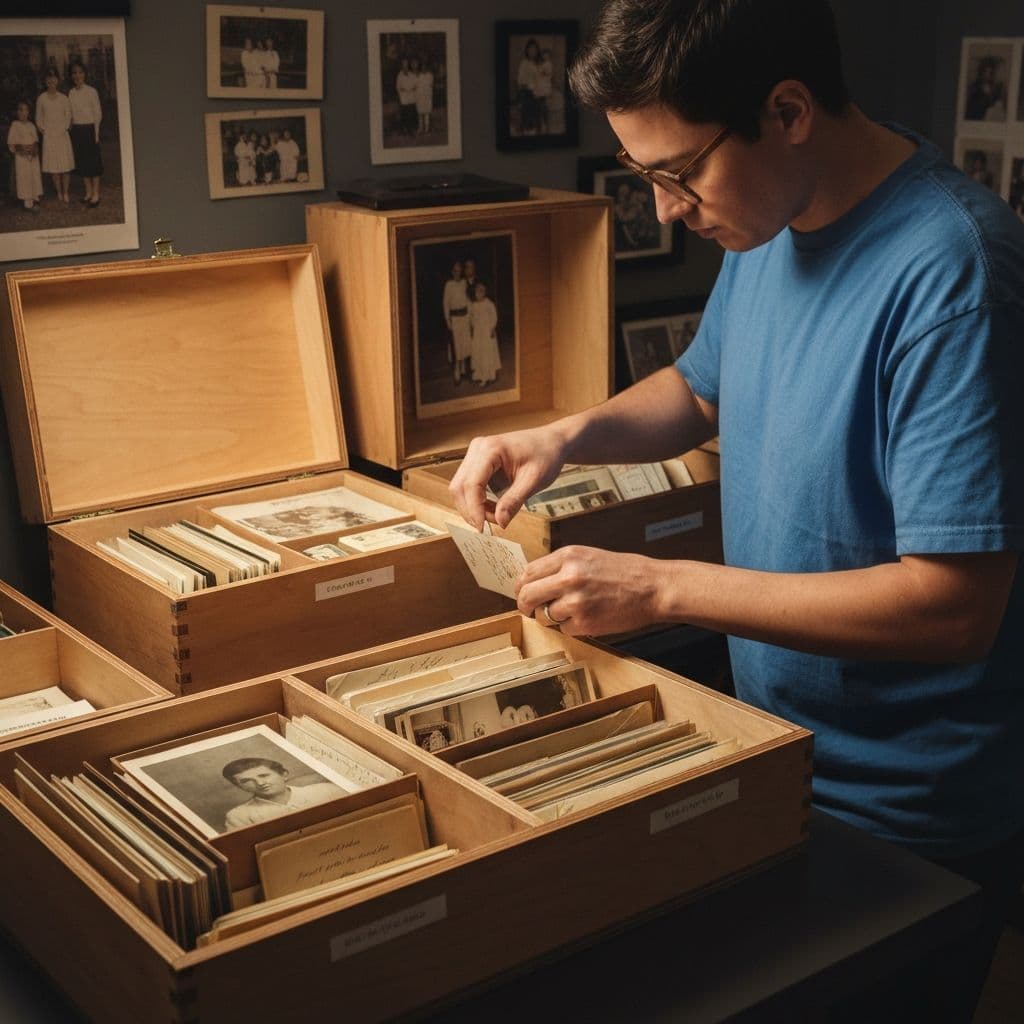
The Faces Behind the Names on Your Family Tree
You have spent months — maybe years — tracing your family tree. You have names, dates, and places going back four, five, maybe six generations. You know that your great-great-grandmother was born in a small village in 1887, that she married at nineteen, and that she crossed an ocean with two children and a suitcase.
But you have never seen her face.
Then one day, a distant cousin sends you a photograph. It is small, faded, and damaged — a formal portrait from the early 1900s, the kind taken in a photographer's studio with a painted backdrop. You can make out a woman standing stiffly in a high-collared dress, but her face is a blur of fading and foxing. The details that would make her real — her eyes, her expression, the shape of her jaw that you might recognize in your own mirror — are lost behind a century of decay.
This is the moment where genealogy photo restoration transforms family history research from an intellectual exercise into an emotional experience. When AI restores that face, when you can suddenly see the set of her mouth and the directness of her gaze, the name on your family tree becomes a person.
Why Photos Matter More Than Records
Genealogists work with documents — birth certificates, census records, ship manifests, marriage licenses. These records provide the skeleton of a family story. But photographs provide the flesh.
A photograph tells you things no document can:
- Physical appearance — who your ancestors actually looked like, which features run in the family
- Economic status — the quality of clothing, the setting, the photographer's studio
- Personality — expressions, posture, and body language reveal character in ways that names and dates never will
- Relationships — how people stand together, who holds whose hand, who is centered in the frame
- Context — the world they lived in, the houses they inhabited, the landscapes they knew
For genealogy researchers, a single clear photograph can be worth more than a dozen census records. It transforms an ancestor from a line in a database into a human being you can connect with across generations.
Common Condition of Genealogy Photos
The older the photograph, the more likely it has suffered significant damage. Here is what you can expect from photos at different ages:
1840s-1860s: Daguerreotypes and Ambrotypes
These are not paper prints but images on metal or glass plates. They are often well-preserved if they have stayed in their protective cases but can be tarnished, scratched, or have areas of lost silver.
1860s-1890s: Carte de Visite and Cabinet Cards
Albumen prints mounted on card stock. Common issues include yellowing, fading (especially in shadow areas), and foxing — those small reddish-brown spots caused by fungal growth.
1890s-1940s: Gelatin Silver Prints
The most common type of old photograph you will encounter. Susceptible to fading, yellowing, scratches, water damage, and silvering (a metallic sheen that appears on dark areas).
1940s-1970s: Color Prints Begin
Early color prints fade dramatically — reds shift to orange, blues turn to grey. Black and white photos from this era are generally more stable but still accumulate handling damage.
| Era | Typical Condition | Most Common Damage | Restoration Difficulty |
|---|---|---|---|
| Pre-1880 | Fair to poor | Tarnish, fading, foxing | Moderate-High |
| 1880-1920 | Variable | Yellowing, scratches, fading | Moderate |
| 1920-1960 | Generally good | Scratches, creases, fading | Low-Moderate |
| 1960-1980 | Good, color faded | Color shift, scratches | Low |
How AI Restoration Helps Genealogists
Modern AI restoration tools address every type of damage that genealogy photos typically suffer. Restory offers six specialized features, and several are particularly valuable for genealogy work.
Restore Faces: The Most Important Feature for Genealogists
This is the feature that matters most when you are trying to see who your ancestors were. Face restoration AI analyzes facial landmarks — the geometry of eyes, nose, mouth, and jawline — and reconstructs lost detail. Even faces that appear as featureless blurs in the original can be brought to startling clarity.
For genealogy purposes, this means:
- Identifying unknown people in group photos becomes possible
- Family resemblances across generations become visible
- Photos that were "too damaged to use" become valuable records
Colorize: Seeing the Past in Full Color
Black and white photographs create an unconscious emotional distance. We know intellectually that the past was in color, but seeing it in black and white makes it feel remote, almost fictional. When you colorize a photo of your ancestors, that distance collapses. Suddenly they are standing in green grass under a blue sky wearing a brown coat, and the past feels as real as the present.
Enhance: Extracting Hidden Detail
Small photos — wallet prints, passport photos, group shots where individual faces are tiny — contain more information than you can see with the naked eye. AI enhancement can upscale these images and resolve details that were invisible at the original size. This is especially valuable for group photos where you are trying to identify specific individuals.
Remove Scratches: Clearing a Century of Damage
Every time a photograph was handled, moved, or stored improperly, it accumulated damage. For a photo that has been passed through four or five generations, the accumulation of scratches can be severe. AI scratch removal cleans all of this away in seconds, revealing the image underneath. Explore the full set of tools available on the features page.
Building a Genealogy Photo Archive
Restoring individual photos is valuable, but the real power comes when you build a systematic archive. Here is how to approach it:
Step 1: Gather Everything
Contact every branch of your family. Ask specifically about old photos. People often have boxes of photographs they have never sorted through. The most valuable finds often come from the oldest living relatives or from estates being cleared.
Step 2: Digitize Systematically
Scan every photo at 600 DPI minimum, even the damaged ones. Label each scan with whatever information you have — names, dates, locations, the occasion. Our guide on preserving family archives covers this process in detail.
Step 3: Restore Strategically
Start with the oldest and most damaged photos — these are the most at risk and the most impactful when restored. Work forward through time, prioritizing:
- Photos of ancestors you have never seen clearly
- Group photos that might help identify unknown relatives
- Photos of places that no longer exist (homes, businesses, landmarks)
Step 4: Cross-Reference With Records
A restored photo often reveals details that help with genealogy research. Visible house numbers, street signs, vehicle models, military insignia, and fashion details can all help narrow dates and locations when cross-referenced with documentary records.
Step 5: Share and Collaborate
Upload restored photos to your family tree on Ancestry, FamilySearch, or MyHeritage. Share them in genealogy forums and with DNA matches. A clear, restored photo is often the key that unlocks a collaboration — someone recognizes a face and suddenly you have a new branch of your tree.
Ethical Considerations in Genealogy Photo Restoration
AI restoration is powerful, but it is important to understand what it does and does not do.
Accuracy vs. Interpretation
Face restoration AI generates plausible detail based on what it can detect in the original image and what it has learned from millions of other faces. The result is a reasonable interpretation, but it is not a forensically exact reconstruction. The general shape, proportions, and character of the face are preserved, but very fine details (exact eye color, precise skin texture) are the AI's best estimate.
For genealogy purposes, this is perfectly acceptable. You are seeing a realistic interpretation of how your ancestor looked, not a police composite. The emotional and historical value is immense.
Document Your Process
Always keep the unrestored original scan alongside the restored version. Label the restored version clearly as "AI-restored" so future family members understand what they are looking at. Transparency about the process preserves the integrity of your archive.
Respect and Sensitivity
Some family members may have complicated feelings about seeing ancestors restored or colorized. A photograph of someone who died young, restored to vivid clarity, can be deeply moving — or it can reopen grief. Share restored photos with sensitivity and awareness.
Bringing Ancestors to Life With Animation
Beyond static restoration, Restory's Bring Photos to Life feature can transform a restored portrait into a short animated video, adding subtle movement to your ancestor's face. While this is not historically accurate in the way a restoration is, it creates a powerful emotional moment — the first time you see a great-grandparent appear to breathe, blink, and look around, the connection across generations feels almost physical.
Your Family History Deserves to Be Seen
Every name on your family tree was a real person with a real face. Many of those faces exist right now, hidden behind a century of fading, scratches, and decay, waiting in shoeboxes and albums and attic trunks.
AI restoration makes it possible to see them clearly — not as faded ghosts in damaged photographs, but as the living, breathing people they once were. The technology is accessible, affordable, and produces results that would have been unimaginable just a few years ago.
Bring your ancestors out of the past and into the present. Download Restory and give your family tree the faces it has been missing.
<!-- cross-links -->Related Reading
Compare in depth:
Other alternatives:
Restore your photos with Restory
AI to colorize, repair, and animate old photos. 32 languages, free trial.
Try Restory
