
Bringing Color to History
How AI colorization is changing the way we see the past. A deep dive into neural network color prediction.
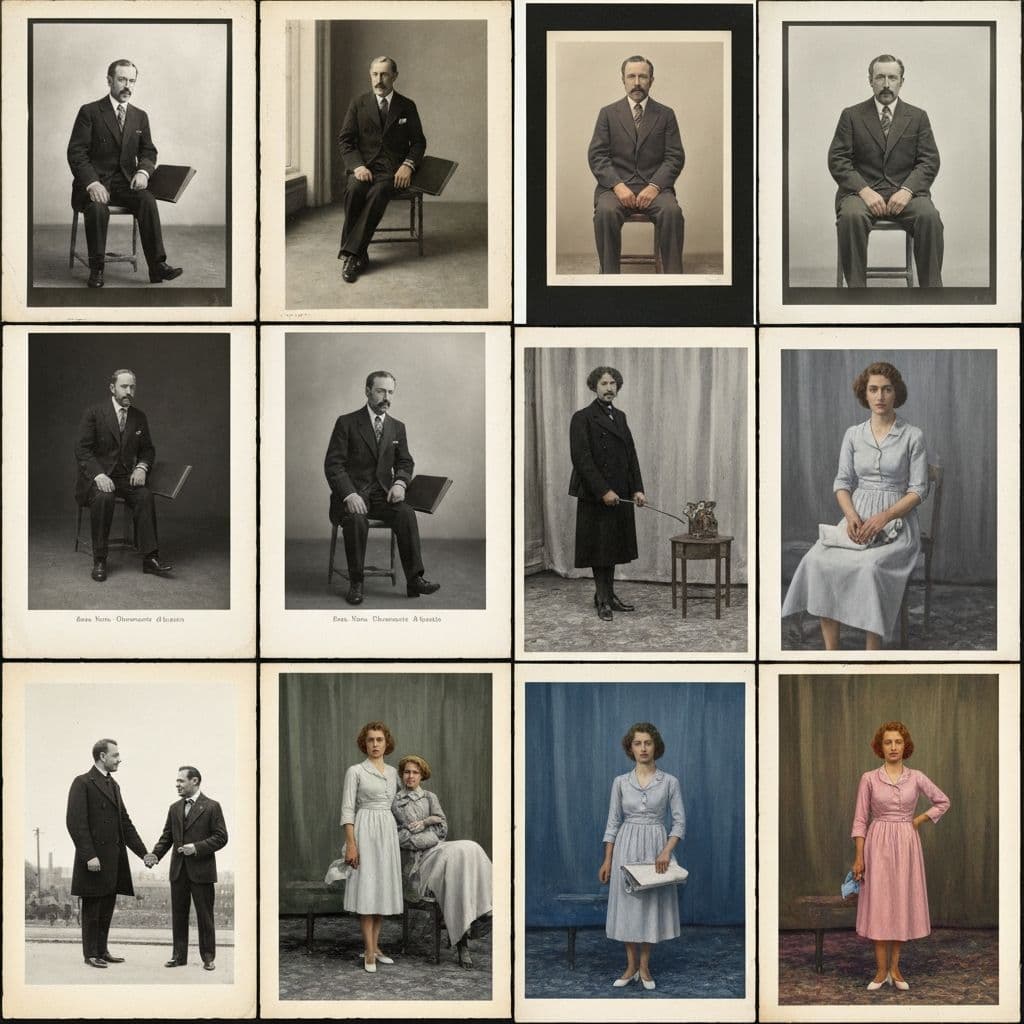
Seeing the Past in Color
Black and white photographs hold a certain timeless beauty, but they also create a psychological distance. When we see a monochrome image, our brain categorizes it as "the past" — something removed from our lived experience. Add color, and suddenly the people in those photos feel present, real, and relatable.
AI colorization bridges this gap. Using deep neural networks trained on millions of color images, modern algorithms can predict the original colors of a black and white photograph with remarkable accuracy. This is not simple tinting or hand-painting — it is intelligent, context-aware color prediction.
How AI Colorization Works
Traditional colorization required skilled artists to manually paint color onto each element of a black and white image. This process could take hours or days for a single photograph.
AI colorization works differently. Here is the simplified process:
- Scene analysis — the neural network identifies objects in the image: sky, grass, skin, clothing, wood, metal, etc.
- Context mapping — the AI considers the relationships between objects. A person outdoors in a field suggests green grass and blue sky.
- Color prediction — for each pixel, the model predicts the most likely color based on its training data of millions of real-world color photographs.
- Refinement — the final pass ensures color consistency across the image, preventing jarring transitions or unrealistic hues.
The result is a naturally colored photograph that often looks like it was shot on color film from the beginning.
What Makes Good Colorization
Not all colorization is created equal. The best results share several characteristics:
Accurate Skin Tones
Human skin is incredibly complex — it varies by ethnicity, age, lighting, and health. Poor colorization tools often make everyone look orange or grey. Good AI models like the one in Restory are trained on diverse datasets and produce natural, varied skin tones.
Realistic Environments
The sky should be blue, grass should be green, and sunsets should be warm. But beyond the obvious, good colorization handles subtlety — the blue-grey of overcast skies, the yellow-green of early spring, the warm amber of indoor tungsten lighting.
Fabric and Texture
Clothing, upholstery, and other fabrics are particularly challenging because the AI cannot know what color a specific dress was. However, it can make educated predictions based on the era, formality, and style of the garment. The key is that the colors chosen should be plausible, even if not historically exact.
Consistent Lighting
If the light source in the photo is warm (like a sunset), all colors in the scene should reflect that warmth. Good colorization maintains this consistency across every element.
Best Practices for Colorizing Old Photos
To get the best results when colorizing your black and white photos:
Start With a Clean Image
Scratches, stains, and damage can confuse the colorization AI. Restore your photo first — remove scratches, enhance detail, fix tears — then apply colorization as the final step.
Use High-Resolution Scans
More pixels means more data for the AI to analyze. A 600 DPI scan will colorize better than a 150 DPI phone snapshot. The AI needs detail to differentiate between materials and surfaces.
Manage Expectations
AI colorization is a prediction, not a memory. The AI cannot know that grandmother's dress was specifically royal blue. It will choose a plausible color — perhaps navy or teal — but the exact shade is a best guess. Accept this as part of the charm.
Try Multiple Times
Most AI colorization tools, including Restory, may produce slightly different results each time. If the first attempt makes the sky purple instead of blue, try again. The stochastic nature of neural networks means you can often get a better result on a second pass.
The History of Photo Colorization
Colorizing photographs is not a new idea. Here is a brief timeline:
- 1860s — Hand-tinting of daguerreotypes and prints with watercolors and oils
- 1900s — Japanese photographers pioneer detailed hand-coloring techniques
- 1930s — Early color film (Kodachrome) begins to replace hand-tinting
- 1980s — Digital colorization of films sparks controversy (Ted Turner's colorized classics)
- 2016 — First neural network-based automatic colorization models published
- 2023-2025 — AI colorization reaches near-photographic quality in consumer apps
Today, a process that once required days of skilled labor takes seconds on your phone.
Colorization for Different Eras
The era of a photograph significantly affects colorization quality:
1850s-1900s (Daguerreotypes, Tintypes)
These have unique tonal qualities. Results can be excellent for portraits but may struggle with landscape details due to the long exposure times of the era.
1900s-1940s (Silver Gelatin Prints)
The golden age for colorization. These prints typically have excellent tonal range and sharp detail, giving the AI plenty to work with.
1940s-1960s (Transition to Color)
Many photos from this era were shot on both black and white and color film. The AI performs exceptionally well here because the photographic quality closely matches its training data.
1960s-1980s (Late B&W)
These photos often have excellent resolution and tonal quality. Colorization results are typically outstanding.
Creative Uses for Colorization
Beyond restoring family photos, colorization has fascinating applications:
- Education — colorized historical photos help students connect with events
- Journalism — news archives gain new impact when colorized
- Real estate — vintage property photos can show how a building looked in its prime
- Art projects — combine colorization with other effects for unique creations
- Genealogy research — colorizing ancestor portraits often reveals subtle details (skin tone variations, eye color hints) that help confirm family resemblance across generations. See our genealogy photo restoration guide for more
- Museum displays — local historical societies use colorized versions alongside originals to make exhibits more accessible to younger visitors
What Colorization Costs with Restory
The Colorize feature in Restory costs 4 coins per photo. With the 200-coin pack at EUR 24.99, colorizing a single photo works out to roughly EUR 0.50. The 500-coin pack at EUR 44.99 brings it down to about EUR 0.36 per photo — dramatic value compared to any manual hand-coloring service, which can charge EUR 50 or more per image.
For perspective, a subscription-based tool like Remini charges around EUR 40 per month whether you colorize one photo or a hundred. If you only have twenty black-and-white photos to colorize in a year, coin-based pricing is roughly 10 times cheaper. Our Restory vs Remini comparison covers the full pricing breakdown, and the Remini alternatives page lists every tool worth considering for occasional colorization.
When Colorization Goes Wrong (and How to Fix It)
AI colorization is not perfect. Three common issues show up often enough to address directly:
Purple skies or green skin. Happens when the AI misreads the scene (e.g., confuses a cloudy sky for a distant wall). The fix is to re-run the feature — the neural network is stochastic, so a second attempt often produces a different and more accurate result.
Clothes colorized wrong. Unless the photo offers strong contextual clues, the AI will pick a plausible rather than historically accurate color. If you know the dress was red, there is no way for the AI to guess that from a grayscale image. Accept this as a limitation and enjoy the plausible result.
Flat, desaturated colors. Usually a sign that the scan is too low-resolution or too damaged for the AI to interpret surfaces correctly. Rescan at 600 DPI minimum, clean up scratches first with Remove Scratches (5 coins), and then apply Colorize. The two-step workflow consistently produces richer colors than trying to colorize a damaged image.
Getting Started
Colorizing your first black and white photo takes less than a minute with Restory:
- Open the app and upload your black and white photo
- Select the Colorize feature
- Wait a few seconds for the AI to process
- Save your newly colorized image
The result often sparks an emotional reaction — seeing a deceased grandparent in color for the first time, or finally understanding what a childhood home really looked like. That moment of recognition is what makes colorization so powerful.
Ready to see your past in color? Download Restory and bring your black and white memories to life.
Frequently Asked Questions
Does AI colorization always match the original real colors?
No. AI colorization is a plausible prediction, not a reconstruction of truth. The neural network has no way of knowing what color a specific dress was in 1952 — it makes its best guess based on patterns from millions of training images. For well-known objects (sky, grass, wood, skin), the AI is usually very accurate. For specific clothing, painted walls, or unusual objects, the result is a reasonable approximation rather than a factual reproduction. Most users accept this as part of the magic.
Can I colorize a photo that is also damaged with scratches?
Yes, but the best results come from restoring the damage first. Scratches, creases, and stains confuse the colorization AI because it tries to assign a color to every pixel — including the damaged ones. The recommended workflow is: apply Remove Scratches (5 coins), then Restore Faces if the photo includes portraits (5 coins), then Colorize (4 coins) last. This layered approach costs around 14 coins per photo but produces dramatically better color than trying to colorize a damaged original in a single pass.
Will colorized photos look convincing or obviously computer-generated?
Modern AI colorization produces results that most viewers cannot distinguish from original color photography at a glance. The giveaways tend to be subtle — slight color bleeding at edges, unusual tones in specific objects, or inconsistent lighting temperature. For casual family viewing and printing, the results are more than convincing. For forensic historical research or museum-grade reproduction, professional hand-colorization by a skilled artist still has the edge, but the cost is orders of magnitude higher.
<!-- cross-links -->Related Reading
Compare in depth:
Other alternatives:
Restore your photos with Restory
AI to colorize, repair, and animate old photos. 32 languages, free trial.
Try Restory
